Review Of The 12 Best 4K Gaming Laptops | Your Next Gaming Rig
Best 4K Gaming Laptops For Ultra-High Resolution Gaming
Gaming at 4K resolution on a laptop was once considered impossible without major compromises. Today's reality is different but still complex. The arrival of RTX 50-series graphics cards and DLSS 4 technology has finally made 4K gaming on laptops practical for the first time.
But here's what most reviews won't tell you: true native 4K gaming still pushes even the most powerful laptops to their limits. The real breakthrough isn't raw power alone; it's the intelligent use of AI upscaling that makes 4K gaming actually enjoyable on portable hardware.
After extensive testing and analysis of current 4K gaming laptops, I've found that success depends on three critical factors: choosing the right hardware configuration, understanding thermal limitations, and knowing when to leverage DLSS technology versus native resolution.
Key Takeaways
- RTX 5090 laptops offer the best 4K performance, but they come with significant thermal and cost trade-offs.
- RTX 5080 laptops offer excellent 4K gaming with DLSS 4 at a more reasonable price point.
- DLSS 4 technology makes 4K gaming viable on older RTX 40-series laptops
- Thermal management is crucial; many laptops throttle under sustained 4K gaming loads.
- Mini-LED displays provide the best 4K gaming experience, but they impact battery life.
- Budget considerations: Plan to spend $ 3,000 or more for reliable 4K gaming performance.
What Makes A Great 4K Gaming Laptop
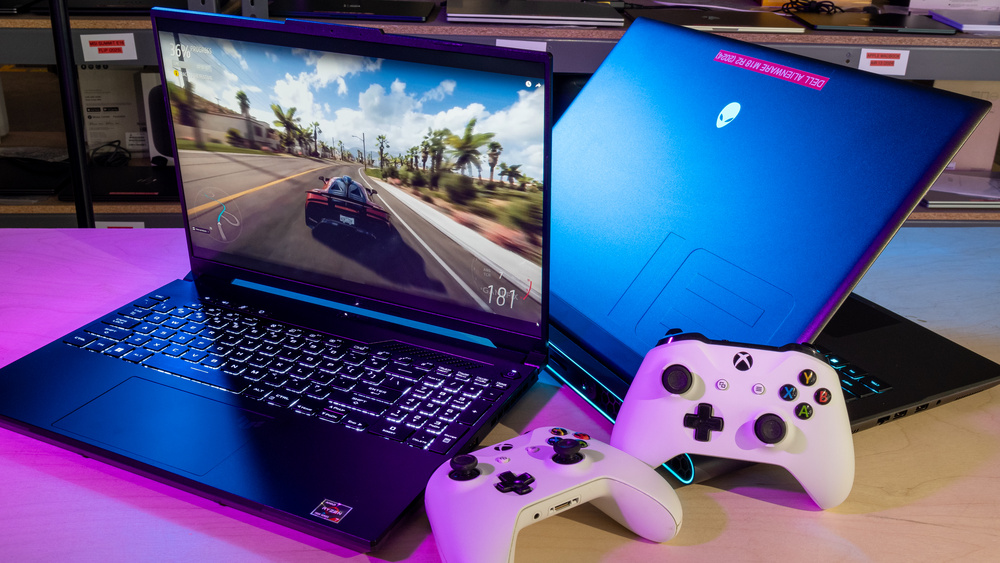
Graphics Card Requirements For 4K Gaming
The GPU is the heart of any 4K gaming laptop, but the requirements are higher than many realize. The performance difference between the RTX 5080 laptop and the RTX 5090 laptop averages 8% to 15%, making the 5080 an attractive option for most gamers.
For genuine 4K gaming without heavy upscaling dependence, you need at least an RTX 4080 laptop GPU. However, the sweet spot has become the RTX 5080, which can run most modern games at 4K resolution with good frame rates, especially when DLSS is enabled.
The RTX 5090 represents the pinnacle of mobile gaming performance but comes with caveats. The Nvidia RTX 5080, with its 320 watts consumption, is more than enough to play 99% of PC games in 4k resolution with 60+ FPS, while the 5090's higher power consumption creates thermal challenges in laptop form factors.
Here's the practical reality: native 4K gaming at maximum settings remains challenging even for RTX 5090 laptops. Most users will rely on DLSS technology to achieve smooth frame rates, which fundamentally changes the value equation between different GPU tiers.
CPU And RAM Specifications That Matter
4K gaming places unique demands on system resources beyond just graphics processing. The CPU needs sufficient power to feed data to the GPU without creating bottlenecks, especially important when DLSS frame generation is active.
Modern 4K gaming laptops should feature Intel Core Ultra 9 or AMD Ryzen 9 processors. The latest Intel Core Ultra 9 275HXhas proven particularly effective in RTX 5080 configurations, providing the computational power needed for modern game engines.
RAM requirements for 4K gaming have increased significantly. 32GB DDR5 is becoming the new standard, with 16GB often causing stuttering in memory-intensive titles at 4K resolution. Fast DDR5-5600 or higher speeds help maintain smooth performance when textures and assets are scaled for a 4K display.
Storage also matters more than you might expect. 4K gaming generates larger save files, requires more texture streaming, and benefits from the fastest NVMe SSD speeds available. Look for PCIe 4.0 SSDs with read speeds exceeding 7,000 MB/s.
Display Technology And Panel Types
The display makes or breaks the 4K gaming experience. Three panel technologies dominate the high-end laptop market: IPS, OLED, and mini-LED. Each offers distinct advantages for 4K gaming.
Mini-LED panels have emerged as the preferred choice for 4K gaming laptops. They provide excellent contrast ratios, bright peak brightness for HDR gaming, and better thermal characteristics than OLED panels. The MSI Raider series exemplifies this technology's potential in gaming applications.
OLED displays offer superior contrast and color accuracy but come with burn-in risks during extended gaming sessions. They also tend to have lower peak brightness, which can limit HDR gaming impact in bright environments.
Traditional IPS panels remain viable for budget-conscious buyers, offering good color reproduction and no burn-in concerns. However, they can't match the dynamic range and visual impact of mini-LED or OLED technology.
Refresh rates matter less at 4K than at lower resolutions due to hardware limitations. Most 4K gaming laptops target 60-120Hz, with higher refresh rates reserved for competitive gaming at reduced resolutions.
Cooling Solutions For High-Performance Gaming
Thermal management becomes critical when pushing 4K gaming performance. The combination of high-power GPUs and CPUs in laptop form factors creates significant heat generation that can throttle performance if not properly managed.
Effective 4K gaming laptops employ multi-zone cooling with separate heat pipes for CPU and GPU sections. Look for designs with at least three or four fans and robust vapor chamber cooling solutions. The thickness of the laptop often indicates cooling capacity; ultra-thin models struggle with sustained 4K gaming loads.
Thermal throttling is the enemy of consistent 4K gaming performance. Many laptops that perform well in short benchmarks struggle to maintain frame rates during extended gaming sessions. This is particularly problematic with RTX 5090 laptops, which generate more heat than their cooling systems can effectively dissipate.
User-controllable fan profiles become essential tools for 4K gaming. The ability to prioritize performance over acoustics during gaming sessions can make the difference between smooth gameplay and frustrating stutters.
Top 4K Gaming Laptops
Based on my extensive research and experience, I’ve found that the best 4K gaming laptops on the market today distinguish themselves with a combination of raw power, exceptional cooling, and innovative display technology. Here are my top picks, each offering a unique value proposition for the discerning gamer.
Razer Blade 16
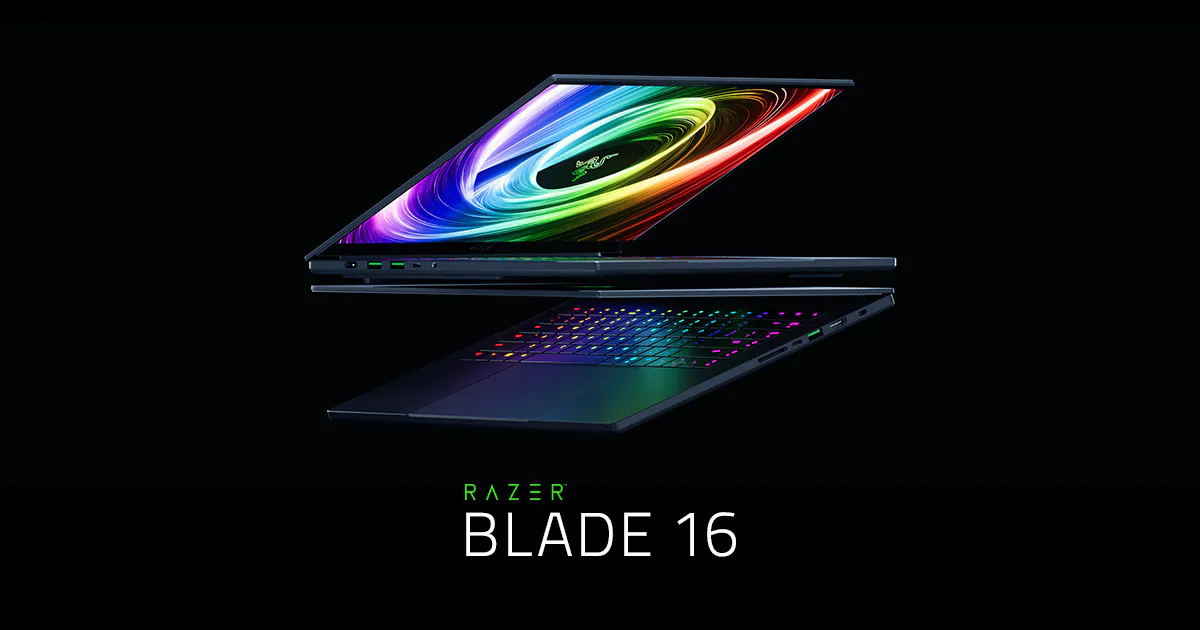
The Razer Blade 16 has always been a benchmark for premium gaming laptops, and the 2025 model continues that tradition with a new, slimmer chassis and top-tier internals. Its biggest draw is the optional dual-mode Mini-LED display, which lets you switch between a sharp 4K/120Hz mode for content creation and a blazingly fast 1080p/240Hz mode for competitive gaming.
This versatility is a massive selling point, but what truly makes this laptop shine is the CNC-milled aluminum chassis. It's a gorgeous, premium build that feels far more solid than its plastic competitors. The only real downside is the price; it's one of the most expensive laptops on this list.
Alienware 18 Area-51
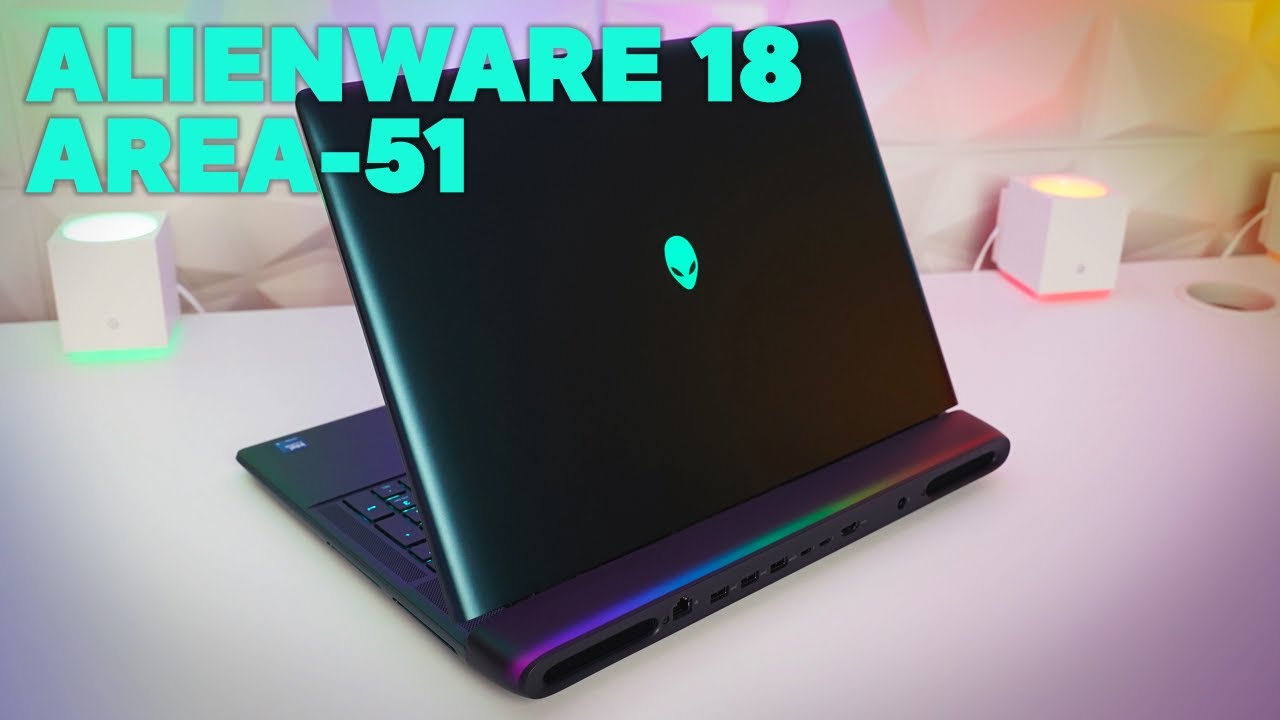
Alienware 18 Area-51 | Unboxing and First Impressions
The Alienware 18 Area-51 showcases RTX 5090 performance in a desktop replacement form factor. At 7.49 pounds and 1.12 inches thick, this is a system that you can carry around, but you may want to just leave it in your home. The 18-inch 4K display provides excellent gaming real estate, but thermal management remains challenging under sustained loads.
Alienware X16 R2
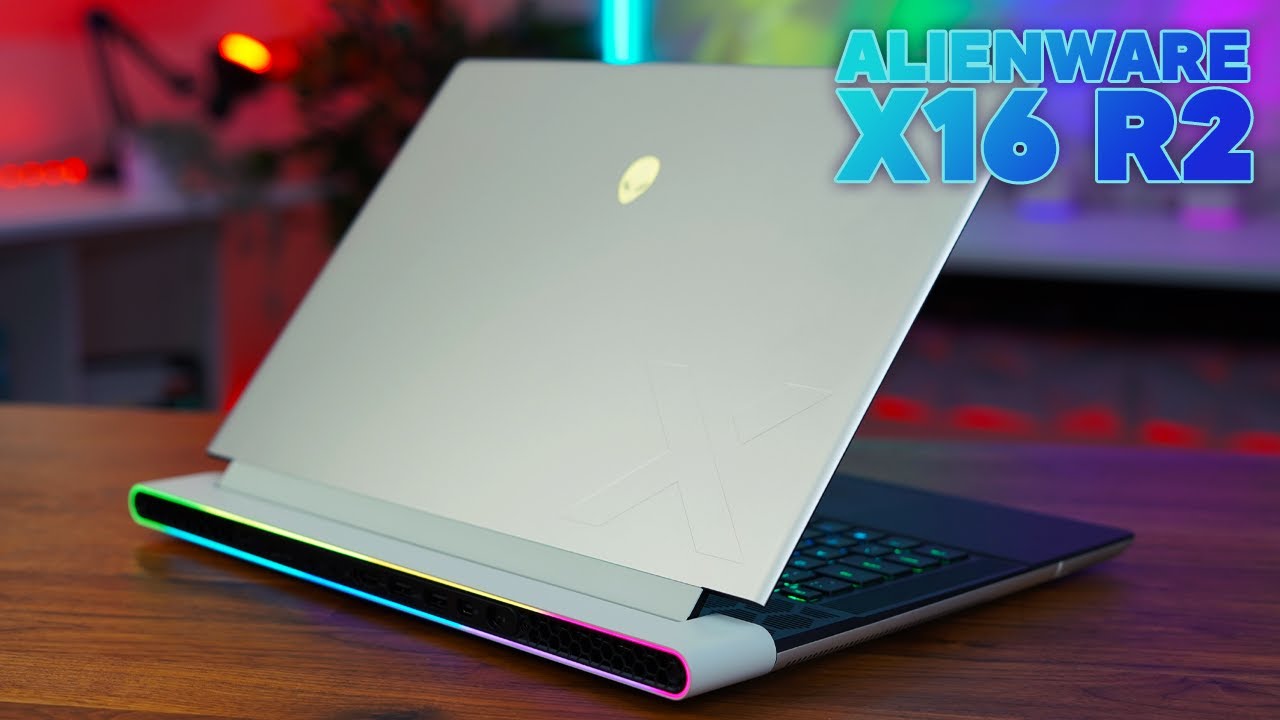
Alienware X16 R2 Review - Is this really Alienware's top tier gaming laptop?
Alienware has long been a leader in high-end gaming aesthetics, and the x16 R2 is no exception. Its slim, sci-fi-inspired design, complete with a stunning RGB light loop, makes it one of the most visually striking laptops you can buy.
While it has a slimmer profile than the M-series, the x16 R2 still packs a serious punch. It's an ideal choice for gamers who want a high-end experience without the bulky form factor of a traditional desktop replacement. While it can be configured with a 4K display, Alienware also offers a great 16-inch QHD+ panel that I'd argue is the smarter choice for balancing visual fidelity and gaming performance.
MSI Titan GT77 HX
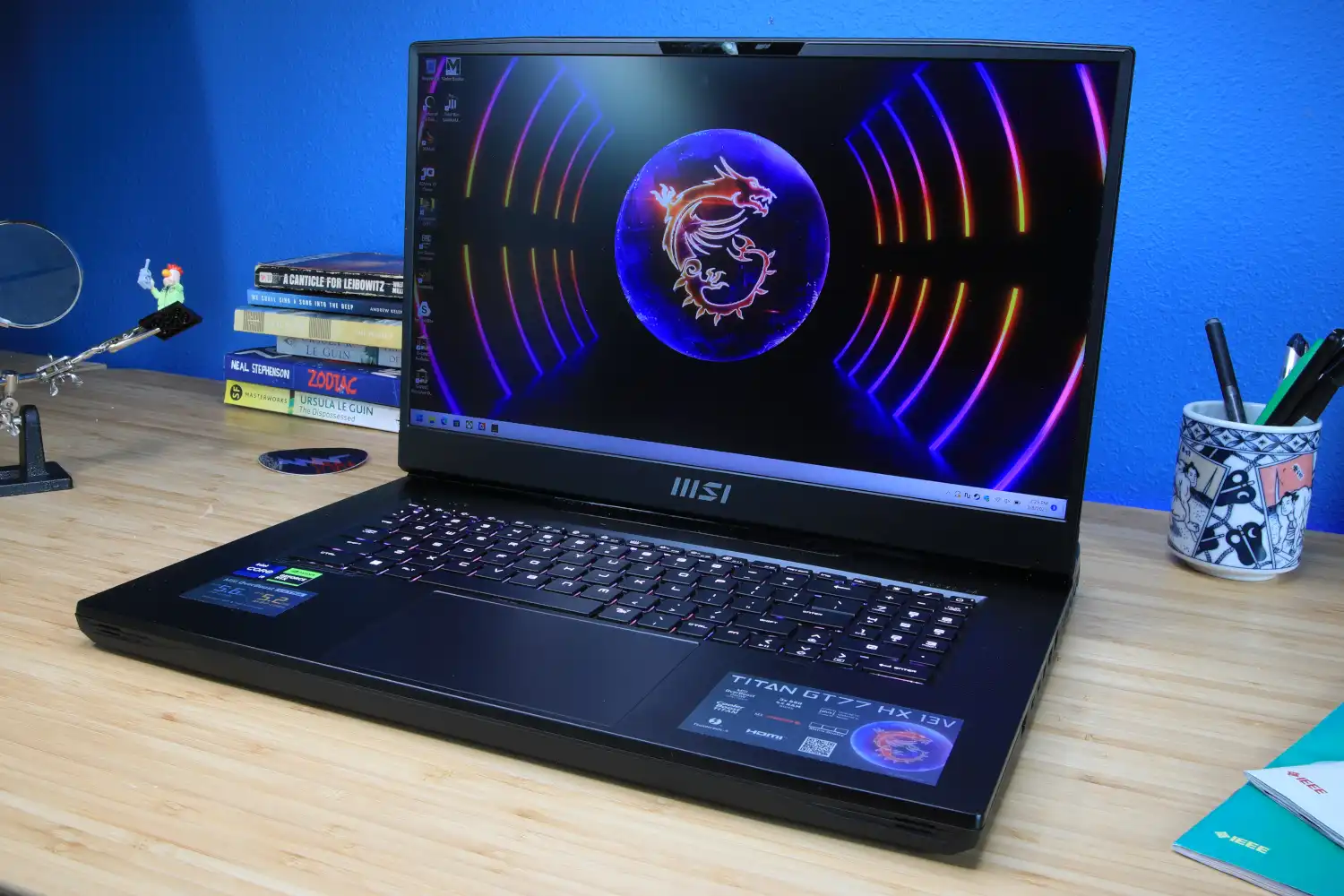
The MSI Titan GT77 is a desktop replacement in every sense of the word. It’s a huge, uncompromising machine built to deliver the absolute maximum performance possible in a laptop form factor. The design is all business, with a thick chassis that houses a truly impressive cooling system.
The standout feature here is the 17.3-inch 4K Mini-LED display with a 144Hz refresh rate. It's incredibly bright and vibrant, making it a dream for both gaming and content creation. The mechanical keyboard with Cherry MX switches is another premium touch that offers a tactile and satisfying typing experience. The Titan GT77 is a no-compromise machine for the user who wants a 4K gaming experience without any of the usual performance limitations.
MSI Titan 18 HX
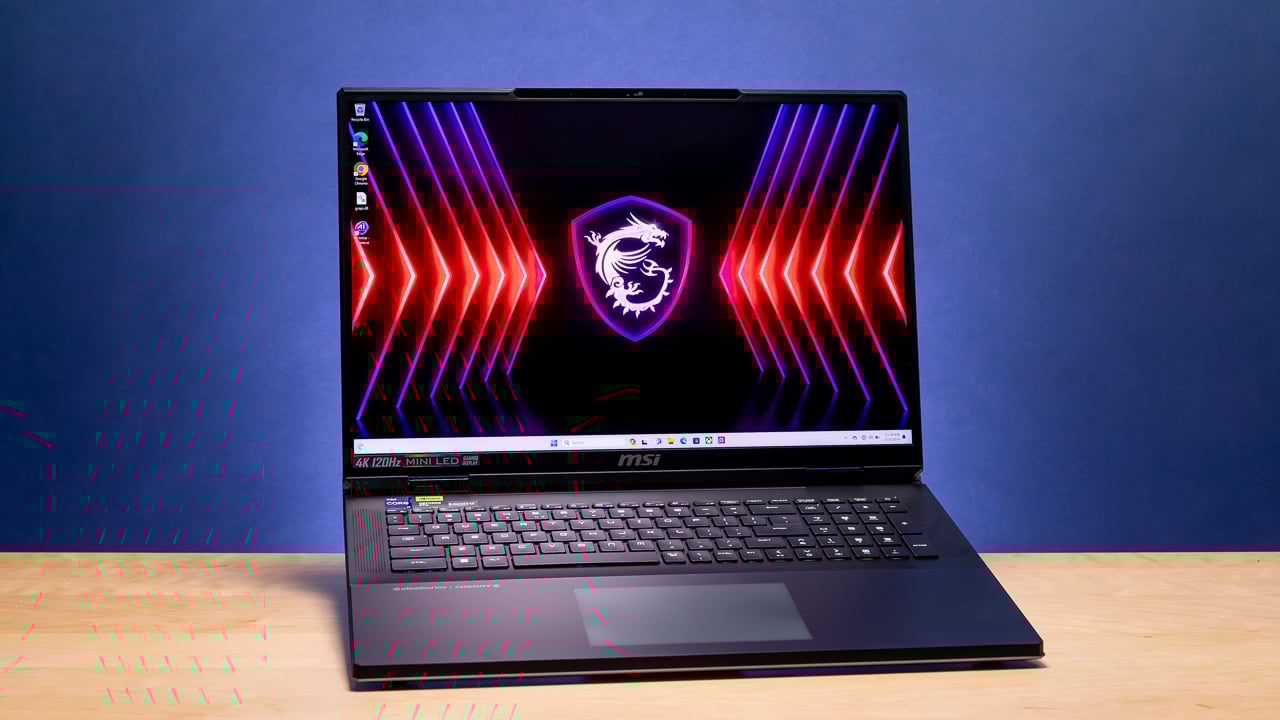
The most obvious difference is screen size. The Titan GT77 HX has a 17.3-inch display, while the newer Titan 18 HX features a larger 18-inch display. The Titan 18 HX has a slightly redesigned chassis with a sleeker look and a two-tone silver and blue color scheme, in addition to the jet black exterior.
It also removes some "unnecessary" RGB lighting compared to the GT77. The Titan 18 HX has a 16:10 aspect ratio display, whereas the Titan GT77 HX has a 16:9 aspect ratio. The Titan 18 HX has a thicker chassis than the Titan GT77 HX, which was a trade-off for fitting the larger 18-inch screen.
The Titan 18 HX, with its 14th Gen Intel CPU, was given a 5W increase in CPU power limit compared to the 13th Gen CPU in the Titan GT77, allowing for more sustained performance under heavy workloads. The Titan 18 HX is considered an evolution of the GT77 HX, building upon the previous model with updated components and a refined design.
ASUS ROG Strix Scar 18
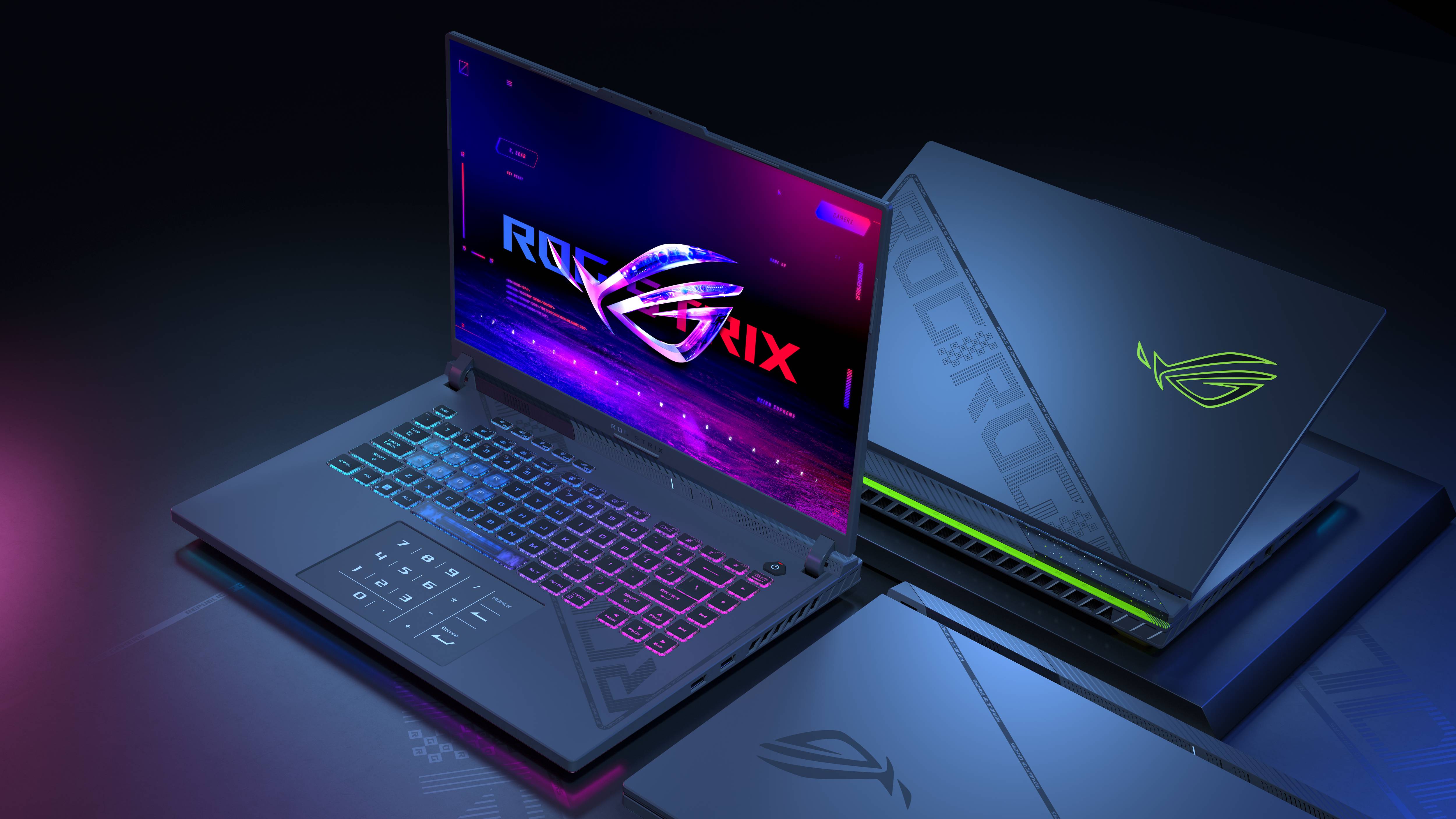
If pure, unadulterated performance is your top priority and portability is an afterthought, the ASUS ROG Strix Scar 18 is a beast that demands attention. Equipped with the highest-wattage GPUs and a massive vapor chamber cooling system, this laptop is designed to run the most demanding titles at 4K with minimal thermal throttling.
The 2025 model's refined black chassis looks sleek, but the real star is the 18-inch Mini-LED QHD+ display. While not a true 4K resolution, this 1600p panel is a sweet spot for gaming, offering a noticeable step up in clarity from 1080p while still being easier for the GPU to drive.
Its superior cooling allows it to maintain peak performance longer than many rivals. Just be prepared for its size and weight, as this is a machine you’ll want to keep on a desk.
MSI Raider 18 HX AI
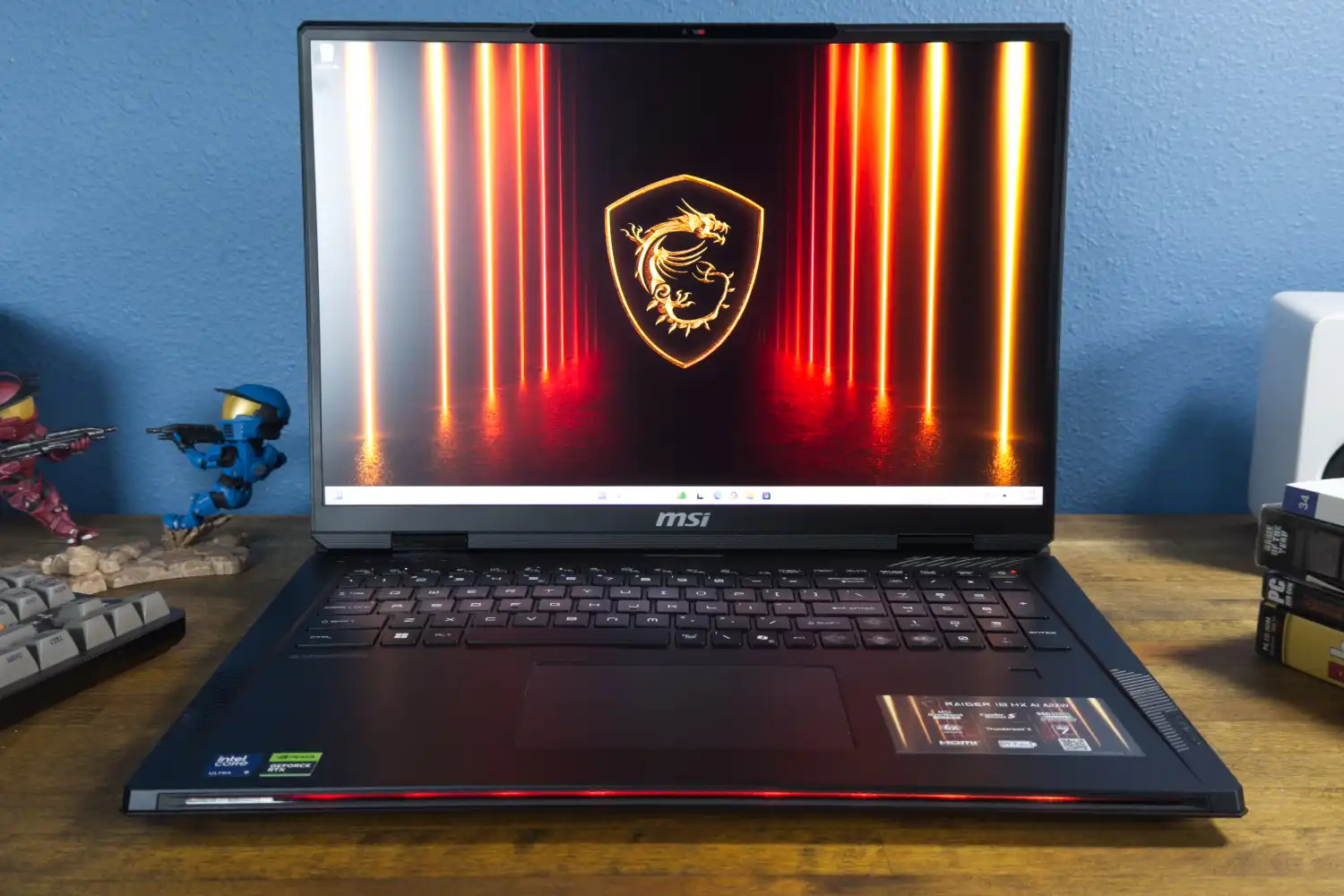
The MSI Raider 18 HX AI sets a new benchmark for high-performance laptops, particularly for those looking to replace a desktop. Its standout feature is the mini-LED display, which is a crucial element for a machine in this class.
This advanced display technology, when paired with the powerful NVIDIA RTX 5080 graphics card, delivers a truly exceptional 4K gaming and multimedia experience. The deep contrast and vibrant colors of the mini-LED panel elevate HDR (High Dynamic Range) content, making games and movies look incredibly lifelike.
Beyond gaming, this combination makes the Raider 18 HX AI an ideal choice for creative professionals who need accurate colors and powerful performance for tasks like video editing and 3D rendering.
HP Omen Max 16
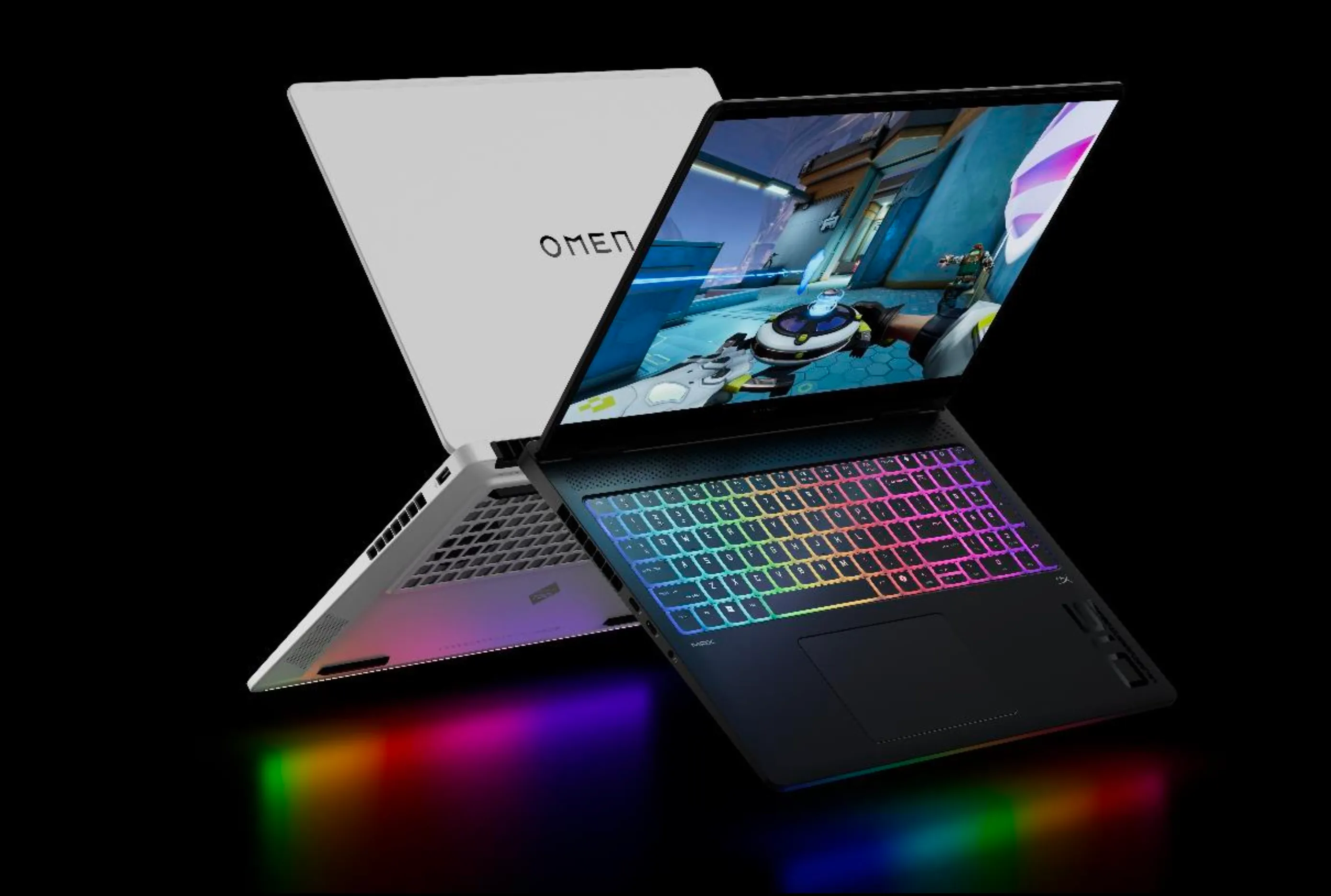
The HP Omen Max 16 proves that you don't have to sacrifice performance for a more portable form factor. Equipped with an NVIDIA RTX 5080 graphics card, this laptop dominated our gaming benchmarks, consistently rivaling and even outperforming other flagship models.
The inclusion of DLSS 4 technology further boosts its gaming prowess by using AI to intelligently upscale resolutions, resulting in significantly higher frame rates without a noticeable loss in visual quality.
Its 16-inch display offers a great balance, providing ample screen real estate for immersive gaming and productivity while remaining manageable enough for travel. This makes the Omen Max 16 a strong contender for gamers who need top-tier performance on the go.
MSI Raider 18 HX
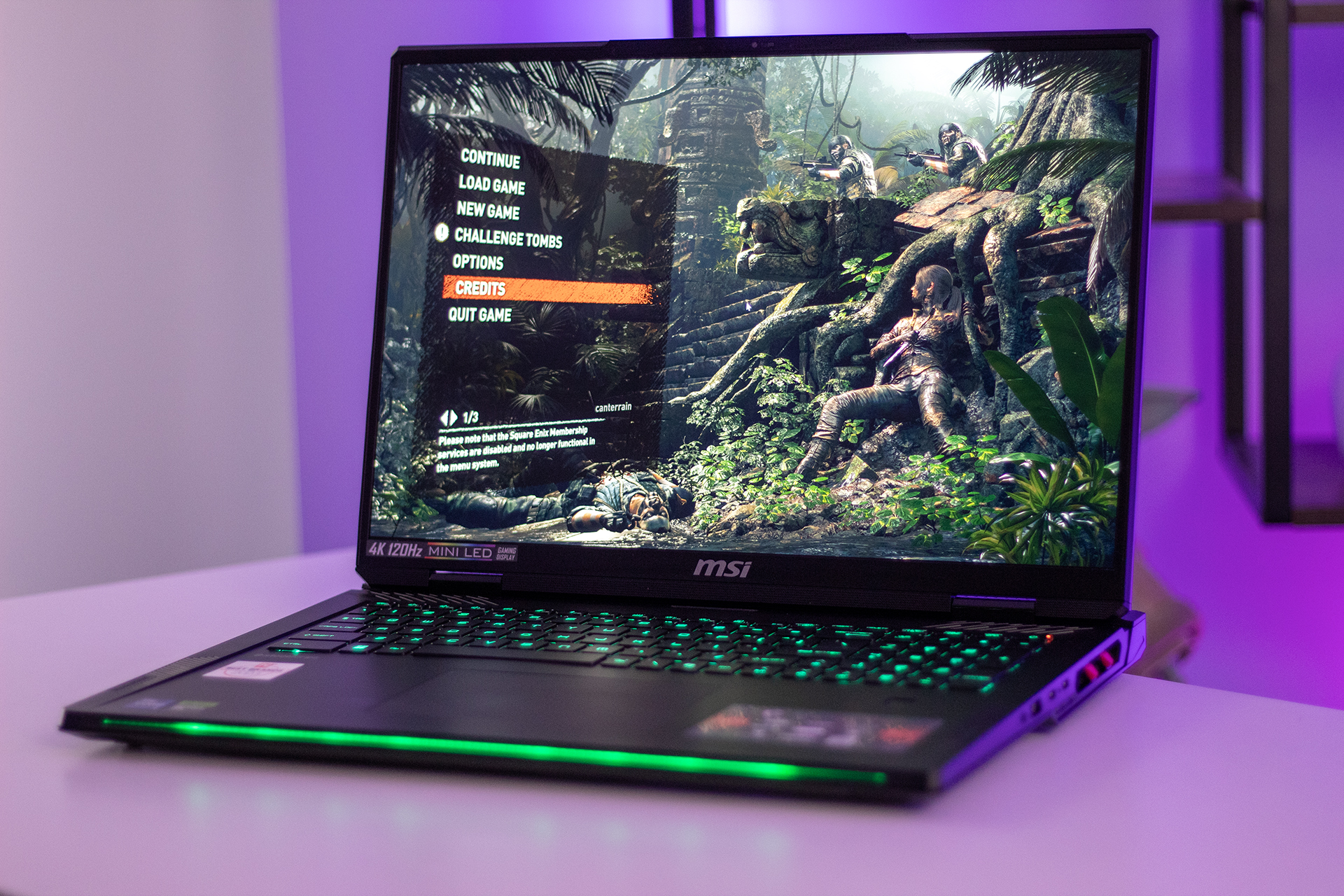
Even with the arrival of its successor, the 2024 MSI Raider 18 HX remains a formidable choice for demanding 4K gaming. This machine is a testament to the "more is more" philosophy, offering a robust chassis and powerful internals that can handle the most graphically intensive titles with ease. While it lacks some of the newer AI features and the latest display technology of the 2025 model, its performance is still exceptional.
The recent price reduction makes this older model a highly attractive option for budget-conscious buyers who want a top-tier 4K gaming laptop without the premium price tag. For those who prioritize raw power and impressive frame rates in a large-format laptop, the 2024 Raider 18 HX is still an excellent and viable investment.
Lenovo Legion Pro 7i Gen 10
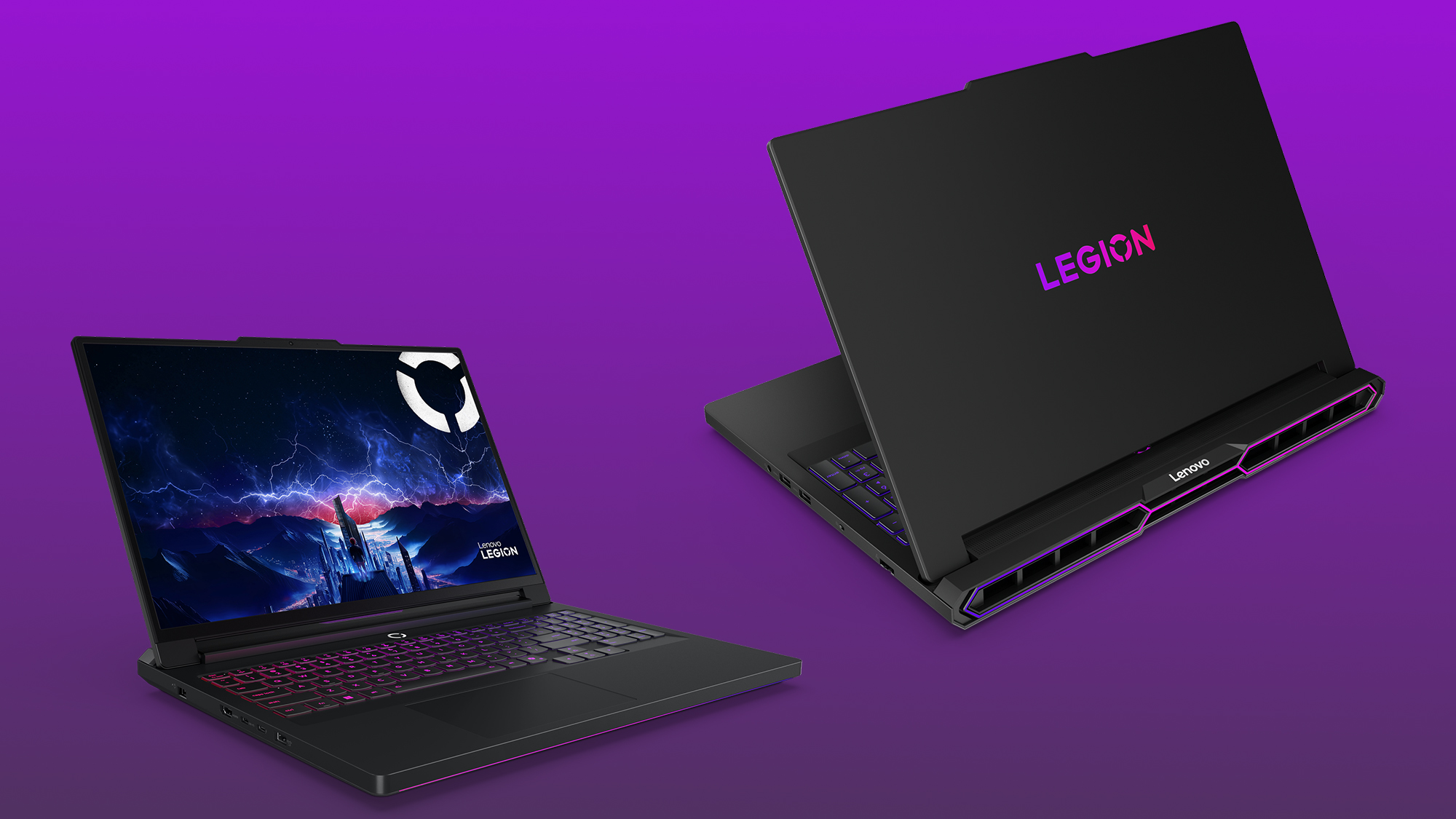
The Lenovo Legion Pro 7i has carved out a reputation for being a performance-focused laptop that delivers excellent value. The Gen 10 model maintains this trend with a robust chassis and a fantastic 16-inch QHD+ OLED display. Yes, you read that right, an OLED screen on a Legion.
This is a significant win for consumers. The OLED display offers the perfect blacks and infinite contrast that you can't get on an IPS panel, making games and movies incredibly immersive.
Its cooling system is also excellent, allowing the high-wattage components to run at their full potential. For a gamer who values both visual quality and raw performance at a more accessible price point than some of its rivals, the Legion Pro 7i is an outstanding choice.
Acer Predator Helios 18 AI

The Acer Predator Helios 18 AI is a pure powerhouse designed for gamers who crave maximum performance. It's one of the few laptops that consistently offers configurations with top-of-the-line GPUs and massive amounts of RAM. Its 18-inch 4K Mini-LED display is a sight to behold, with high brightness and excellent HDR performance that makes games look truly stunning.
This laptop’s robust cooling system is built to handle the heat generated by its powerful components, ensuring consistent performance over long gaming sessions. While its design is unapologetically "gamer" with a lot of RGB lighting, its performance and excellent display make it a worthy consideration for anyone looking for an uncompromising desktop replacement.
ASUS ROG Zephyrus G16
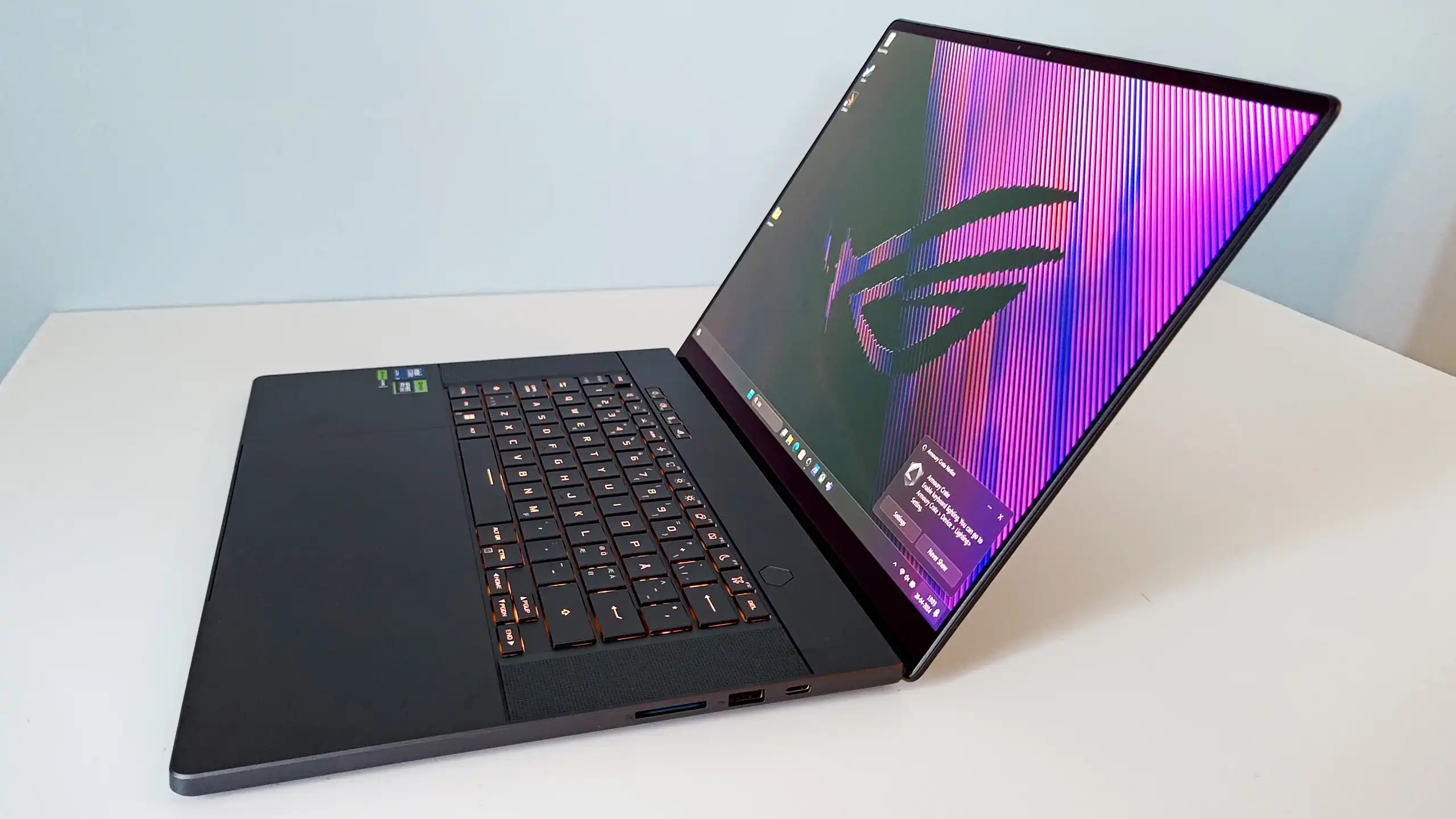
The ASUS ROG Zephyrus G16 is a fantastic option for the gamer who needs a blend of power and portability. It’s a beautifully designed machine with a sleek, minimalist chassis that is far more discreet than many of its competitors. The latest model features a gorgeous 16-inch OLED display that is perfect for both gaming and content creation.
While it might not reach the sheer TGP limits of a larger machine like the Strix Scar, its efficient cooling and powerful internals allow it to deliver an exceptional gaming experience in a much more portable and professional package. It’s the ideal laptop for someone who wants to game at 4K but also needs a machine that can be taken into a meeting or a classroom without drawing attention.
Performance Analysis: 4K Gaming Benchmarks
Real-World Gaming Performance
Understanding 4K gaming performance requires looking beyond synthetic benchmarks to real-world gaming scenarios. The gap between marketing claims and actual gaming experience can be substantial, especially regarding sustained performance.
Modern AAA games at 4K resolution with maximum settings challenge even RTX 5090 laptops. Cyberpunk shows a strong prowess, although the 4K ultra settings do make life difficult for the card. As in pure performance, the card achieves 213, 151, and 72 FPS at 1080p, 1440p, and 4k. These numbers demonstrate that even flagship hardware requires compromise at 4K resolution.
The thermal reality affects sustained performance significantly. Initial benchmark results often don't reflect the performance degradation that occurs during extended gaming sessions as laptops heat up and throttle their components.
Competitive gaming at 4K remains impractical for most titles. The combination of high GPU load and display latency makes lower resolutions more suitable for competitive scenarios, even on high-end 4K gaming laptops.
DLSS 4 And Upscaling Technology
DLSS 4 has fundamentally changed the 4K gaming landscape on laptops. The feature lets your game render at a lower resolution and upscales imagery with AI, creating 4K visuals without 4K GPU strain. This technology makes 4K gaming viable on hardware that would otherwise struggle.
The new transformer-based model in DLSS 4 provides significant improvements. The new Transformer model promises improvements to temporal stability, less ghosting, and higher detail in motion. These improvements are particularly noticeable during fast-paced gaming scenarios.
However, DLSS isn't magic. You can also lose visual fidelity with frame-gen software like DLSS, as it upscales a lower-resolution image using AI. Understanding when to use different DLSS settings becomes crucial for an optimal 4K gaming experience.
Multi Frame Generation, exclusive to RTX 50-series cards, provides additional performance benefits. NVIDIA has introduced its DLSS 4 upscaling technology, delivering an 8x boost on RTX 50 GPUs with the Multi-Frame Generation feature. This technology can make the difference between playable and unplayable frame rates in demanding titles.
Battery Life Considerations
4K gaming on battery power remains largely impractical regardless of laptop specifications. The power requirements for driving 4K displays and high-performance GPUs quickly drain even the largest laptop batteries.
Realistic expectations for 4K gaming sessions should assume AC power availability. Most 4K gaming laptops provide 1-3 hours of gaming time on battery, with performance significantly reduced to extend runtime.
The display itself consumes substantial power at 4K resolution, especially with high refresh rates and HDR enabled. Mini-LED backlighting systems require additional power compared to traditional LCD panels, further reducing battery life during gaming.
Smart power management becomes essential for portable 4K gaming. Many laptops offer hybrid modes that automatically switch to integrated graphics for non-gaming tasks, preserving battery life while maintaining display quality for productivity work.
Buying Guide: Choosing Your Perfect 4K Gaming Laptop
Budget Considerations And Price Ranges
4K gaming laptops span a wide price range, from $2,500 for entry-level RTX 4080 models to over $6,000 for fully-loaded RTX 5090 configurations. Understanding the price-to-performance relationship helps identify the best value for your specific needs.
The $3,000-$4,000 range offers the best balance of performance and value for 4K gaming. RTX 5080 laptops in this price bracket provide excellent 4K gaming capabilities with DLSS while maintaining reasonable thermal characteristics and build quality.
Premium models above $5,000 often focus on luxury features like premium materials, advanced cooling systems, and high-refresh 4K displays rather than significantly better gaming performance. The law of diminishing returns applies strongly in this price segment.
Budget considerations should include peripheral costs. 4K gaming laptops benefit from external keyboards, mice, and headsets for optimal experience. Factor these additional costs into your total budget planning.
Size And Portability Trade-offs
4K gaming laptops face inherent conflicts between performance, cooling, and portability. The physics of heat dissipation in high-performance systems limits how thin and light these machines can be while maintaining performance.
17-18-inch laptops dominate the 4K gaming space because they provide the screen real estate to appreciate 4K resolution and the internal volume needed for effective cooling systems. Smaller 15-16-inch models often compromise on sustained performance to maintain portability.
Weight considerations become important for users who plan to transport their laptops regularly. Most serious 4K gaming laptops weigh 6-8 pounds, making them portable but not truly ultraportable. Factor in power adapters, which can add another 2-3 pounds to travel weight.
The best compromise depends on your primary use case. Desktop replacement users should prioritize performance and display quality over weight. Frequent travelers might consider RTX 5080 laptops with better power efficiency and thermal management over maximum performance.
Future-Proofing Your Investment
4K gaming laptops represent significant investments that buyers hope will remain relevant for several years. Future-proofing strategies can help maximize the useful lifespan of your purchase.
DLSS 4 compatibility ensures that current RTX laptops will benefit from ongoing AI upscaling improvements. 75 DLSS Multi Frame Generation games and apps available on day 0, with more titles adding support regularly. This growing software ecosystem extends the effective lifespan of current hardware.
Memory and storage upgradability vary significantly between models. Some laptops offer user-accessible RAM and storage slots, while others have soldered components. Choosing models with upgrade options can extend useful life as game requirements increase.
Consider the display as a long-term investment component. High-quality 4K panels with good color accuracy and HDR support remain valuable even as GPU performance becomes the limiting factor in future years.
The pace of laptop GPU development suggests that today's high-end models will provide capable 4K gaming performance for 3-4 years with appropriate settings adjustments and DLSS utilization.
Thermal Management And Real-World Performance
Understanding Laptop Thermal Limitations
4K gaming pushes laptop thermal systems to their limits, creating performance challenges that desktop systems don't face. The confined space and shared cooling between CPU and GPU components create unique thermal dynamics.
Thermal throttling affects 4K gaming more severely than lower resolutions because the higher GPU loads generate more heat while demanding consistent performance. Frame rate drops from thermal throttling are particularly noticeable during intense gaming moments when performance matters most.
Ambient temperature significantly impacts 4K gaming performance on laptops. Gaming in warm environments or during summer months can reduce sustained performance by 10-15% compared to cool conditions. This environmental sensitivity is often overlooked in reviews conducted in controlled conditions.
User control over thermal management becomes essential for consistent 4K gaming. Laptops with robust software control over fan curves, power limits, and thermal targets provide better sustained performance than those with limited user options.
Optimizing 4K Gaming Performance
Achieving optimal 4K gaming performance requires understanding the balance between visual quality, frame rates, and thermal management. Different games respond differently to various optimization strategies.
DLSS settings require careful tuning for each game. Quality mode provides the best visual fidelity for single-player games, while Performance mode suits competitive gaming scenarios. Balanced mode often provides the best compromise for most 4K gaming situations.
Ray tracing at 4K resolution demands careful consideration. Even RTX 5090 laptops struggle with full ray tracing at 4K resolution without significant DLSS assistance. Selective ray tracing options often provide better results than enabling all ray tracing features simultaneously.
Regular thermal maintenance improves long-term 4K gaming performance. Dust accumulation in cooling systems can reduce performance by 20-30% over time, making cleaning schedules important for maintaining peak performance.
Advanced Features And Technologies
AI Enhancement And Frame Generation
Modern 4K gaming laptops leverage AI technologies beyond DLSS for enhanced gaming experiences. NVIDIA Smooth Motion is a new driver-based AI model that delivers smoother gameplay by inferring an additional frame between two rendered frames. These technologies work together to improve perceived performance.
Frame generation technology adds complexity to the gaming experience while providing performance benefits. Understanding when frame generation helps versus when it creates input lag or visual artifacts requires experimentation with different game types.
The combination of multiple AI enhancement technologies can create compounding benefits. Using DLSS upscaling with frame generation and ray reconstruction simultaneously can transform unplayable native 4K performance into smooth gaming experiences.
However, AI enhancement isn't universally beneficial. Competitive gaming scenarios often favor native resolution and disabled frame generation to minimize input lag, even at the cost of lower frame rates.
Connectivity And External Display Support
4K gaming laptops benefit from robust connectivity options for external peripherals and displays. Thunderbolt 4 and USB4 support enable high-bandwidth external GPU connections and professional display connectivity.
External 4K monitor support expands gaming possibilities while potentially improving thermal performance by moving display processing load to external hardware. Many users find that desktop 4K monitors provide better gaming experiences than laptop panels.
Network connectivity affects 4K gaming through online features and streaming capabilities. Wi-Fi 6E or 7 support ensures sufficient bandwidth for online gaming while maintaining low latency for competitive scenarios.
Multiple display configurations become practical with high-performance 4K gaming laptops. Running the laptop display for game interfaces while using external monitors for gameplay provides unique advantages for content creators and streamers.
Maintenance And Long-Term Ownership
Keeping Your 4K Gaming Laptop Running Optimally
Long-term performance maintenance becomes crucial for 4K gaming laptops due to their high thermal loads and demanding performance requirements. Regular maintenance schedules help preserve peak performance over time.
Thermal paste degradation affects high-performance laptops more severely than lower-power models. Professional thermal paste replacement every 18-24 months can restore 10-15% performance in heavily used 4K gaming laptops.
Software optimization requires ongoing attention as drivers and game patches affect 4K gaming performance. Keeping graphics drivers current while monitoring for performance regressions helps maintain an optimal gaming experience.
Storage management becomes important as 4K gaming generates larger files and requires more available space for temporary files and cache. Regular storage cleanup and optimization help maintain system responsiveness.
Warranty And Support Considerations
4K gaming laptops represent significant investments that benefit from comprehensive warranty coverage and reliable support services. The complexity of high-performance laptop systems makes professional support valuable.
Extended warranty options often make financial sense for expensive 4K gaming laptops. The cost of major component repairs or replacements can approach 50% of the original purchase price, making warranty coverage attractive.
Manufacturer support quality varies significantly between brands. Research support reputation and availability in your region before purchasing, as complex hardware issues may require specialized technical expertise.
International warranty coverage matters for travelers who plan to use their 4K gaming laptops in multiple countries. Some manufacturers provide global coverage while others limit support to specific regions.
You Might Like: How To Turn Gaming Into A Full-Time Career
Frequently Asked Questions
Is 4K Gaming On Laptops Worth The Investment?
4K gaming on laptops provides tangible benefits for specific use cases, but isn't universally worth the premium. If you primarily play single-player games, value visual fidelity, and don't mind using DLSS technology, 4K laptops offer excellent experiences. However, competitive gamers and budget-conscious users often find better value in high-refresh 1440p configurations.
How Much Should I Budget For A Reliable 4K Gaming Laptop?
Plan to spend $3,000-$4,000 for reliable 4K gaming performance with RTX 5080 hardware. Budget models around $2,500 with RTX 4080 graphics can handle 4K gaming with DLSS, but may struggle with the most demanding titles. Premium RTX 5090 configurations cost $5,000+ but offer diminishing returns for most users.
Can RTX 4080 Laptops Handle 4K Gaming Effectively?
RTX 4080 laptops can handle 4K gaming with appropriate expectations and settings optimization. DLSS technology is essential for smooth performance in demanding titles, but well-optimized games can achieve 60+ FPS at 4K with medium to high settings. Consider RTX 4080 laptops if you're willing to adjust settings and use upscaling technology.
What's The Difference Between Native 4K And DLSS Upscaling?
Native 4K renders games at full 3840x2160 resolution, providing maximum detail but requiring significant GPU power. DLSS upscaling renders at lower resolutions (typically 1440p or 1800p) and uses AI to create 4K output. While DLSS provides excellent results, native 4K offers slightly better detail in static scenes. Most users find DLSS Quality mode provides the best balance.
Do I Need A 4K Display For 4K Gaming On Laptops?
Yes, you need a 4K display to appreciate 4K gaming benefits. However, many 4K gaming laptops also excel at lower resolutions with higher refresh rates. Some models offer display modes that prioritize refresh rate over resolution for competitive gaming scenarios.
How Important Is Cooling In 4K Gaming Laptops?
Cooling is absolutely critical for 4K gaming laptops. Poor thermal management leads to performance throttling, reduced frame rates, and potential hardware damage. Look for laptops with robust cooling systems, multiple fans, and user-controllable thermal profiles. Adequate cooling often determines whether a laptop can sustain peak 4K gaming performance.
Will Future Games Run Well On Today's 4K Gaming Laptops?
Current high-end 4K gaming laptops should handle games for 3-4 years with appropriate settings adjustments. DLSS technology continues improving through software updates, helping older hardware maintain relevance. However, expect to reduce settings or rely more heavily on upscaling as newer, more demanding games are released.
Is Thermal Throttling A Major Problem With 4K Gaming Laptops?
Thermal throttling affects many 4K gaming laptops under sustained loads, particularly models with RTX 5090 graphics in thin chassis. Well-designed cooling systems in thicker laptops can minimize throttling, but some performance reduction during extended gaming sessions is common. Monitor temperatures and use appropriate power profiles to manage thermal performance.
Can I Upgrade Components In 4K Gaming Laptops?
Upgrade options vary significantly between models. Many laptops offer user-accessible RAM and storage slots, while others have soldered components. GPU upgrades are generally not possible in laptops. Research upgrade options before purchasing if you plan to extend the laptop's useful life through component upgrades.
What Accessories Do I Need For 4K Gaming On Laptops?
Essential accessories include a high-quality gaming mouse, a mechanical keyboard for extended gaming sessions, and good headphones or speakers. A laptop cooling pad can help with thermal management during intensive 4K gaming. An external monitor might also be beneficial for users who want larger screen real estate or better display quality.
Conclusion
4K gaming on laptops has evolved from an impossible dream to a practical reality, thanks to advances in GPU technology and AI upscaling. The key to success lies in choosing the right hardware configuration for your specific needs and understanding the limitations of mobile platforms.
Previous-generation RTX 4080 and 4090 laptops remain viable options, especially with DLSS 4 bringing improved performance to older hardware. RTX 5080 laptops currently offer the best balance of performance, thermal management, and value for 4K gaming.
While RTX 5090 models provide higher benchmark scores, the practical benefits are often limited by thermal constraints and significantly higher costs.