11 Best Apps For Voice Chat While Gaming On Android & IOS Mobile
Playing a team-based game on your phone, whether it’s a high-stakes match in PUBG Mobileor a strategic raid in Genshin Impact, is only as good as your communication. But if you’ve ever relied on a game's built-in voice chat, you know the frustration: choppy audio, frustrating lag, and a total lack of control over your sound.
Where a few milliseconds of latency can mean victory or defeat, a dedicated voice chat app is no longer a luxury; it's a strategic necessity. Choosing the right app for your Android or iOS device, however, is a nuanced decision that goes far beyond a simple list of features.
It's about finding a balance between crystal-clear audio and an app that won't drain your battery or cripple your game's performance. As a long-time mobile gamer, I’ve seen how the right tool can fundamentally change your gameplay, from simple coordination to complex, high-speed tactical decisions.
Key Takeaways
- Speed and Sound Quality: The app should work fast enough to keep up with your game. Apps like TeamSpeak and Mumble are known for being super quick and having clear sound.
- Works on Different Devices: If you and your friends use different gadgets (like Android phones, iPhones, PCs, or gaming consoles), choose an app that works across all of them. Discord, Slack, and Element (Matrix) are good options since they work on Android and other platforms.
- Privacy and Security: If keeping your conversations private is important, look for apps with strong security features. TeamSpeak and Mumble offer advanced encryption and let you set up private servers. Element (Matrix) also has strong security measures.
- Extra Community Tools: Some apps, like Discord, Guilded, and GameTree, have more than just voice chat. They offer text channels, event planning tools, and ways to manage groups. These features can be helpful if you’re building a gaming community or organizing team events.
- Battery and Performance: Mobile devices don’t have endless power, so it’s good to pick an app that doesn’t hog your battery or slow down your phone. TeamSpeak and Mumble are lightweight and won’t drain your battery too quickly. On the other hand, apps that use lots of video, like Slack, might use more power.
- Cost: Many popular gaming chat apps are free to use, but some charge for extra features. For example, Slack offers paid plans for larger teams, and TeamSpeak has paid server licenses for bigger communities, though the app itself is free.
Why Gamers Need Special Voice Chat Apps For Mobile Gaming
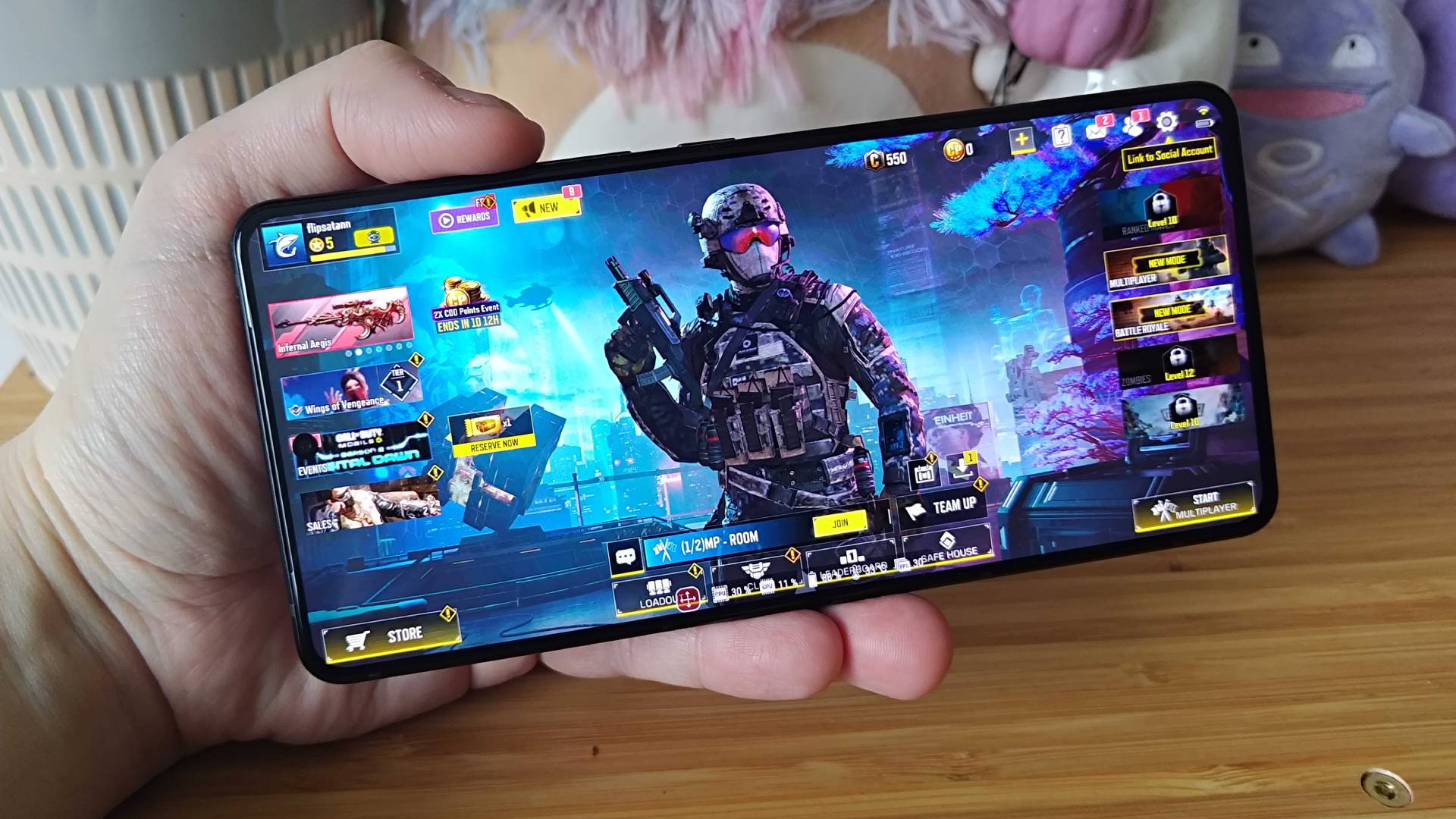
Most mobile games don’t have great built-in ways to talk with teammates. Even when they do offer voice chat, the sound can be delayed, calls might drop, or you’re stuck only talking to people on the same platform. That’s where dedicated voice chat apps come in.
These apps send audio through reliable servers or direct connections between players, which helps avoid those issues. They also usually have better sound quality, tools to reduce background noise, and features specifically designed for gaming, such as push-to-talk or overlays, which are often not offered in most in-game chats.
Take Discord, for example. Originally designed for PC gamers, it now has an Android app that lets players talk to each other with almost no delay. Or TeamSpeak, which utilizes special technology on Android to maintain smooth and real-time conversations.
These apps also let you stay connected with friends even when you’re not in the same game. For instance, you can keep a voice chat roomopen in Discord or Mumble while switching between different games or apps. This is super helpful for games that don’t have voice chat at all or when your friends are playing on different platforms.
Using a voice chat app made for gaming can save you from bad sound and connection problems, keeping your team on the same page and making your gaming experience smoother.
Top Voice Chat Apps For Android Gamers
Discord

Discord is the go-to voice-chat app for most gamers. Its free Android app offers crisp, low-latency voice calls and text channels all in one place. You can join or create servers for any game or interest, and Discord even works on consoles - making cross-platform chat easy. In a voice channel, audio quality is generally high with no noticeable lag.
Discord also has features like individual volume controls, push-to-talk, noise suppression, and in-game overlays to ensure you keep hearing your squad. Importantly, Discord protects user connections with IP/DDoS protection, so casual gaming chats feel secure.
As one source notes, “Discord is a popular voice chat program known for its robust IP and DDoS protection, making it ideal for secure communication while gaming.” Almost every major game has a Discord community. If coordinating tactics in FPS games or sharing loot in co-op RPGs, Discord’s Android app will cover you. Its broad adoption means chances are high your friends already use it.
Guilded
Guilded is a newer competitor to Discord aimed at large gaming groups and clans. It’s completely free on Android and boasts many advanced features out of the box. For voice chat, Guilded supports a higher bitrate (up to 256 kbps) than Discord, so audio can be richer and more detailed.
It still maintains low latency like other gaming apps, so conversation stays smooth. Guilded also offers built-in calendars, event scheduling, and extra channel types (for things like livestreams or announcements) to help teams coordinate sessions.
The interface is similar to Discord’s, so it’s easy to learn. Guilded even gives away many features (like high-definition video sharing) for free that Discord locks behind Nitro. The catch: a valid Roblox account is currently required to use Guilded’s platform, which may deter some users. Overall, Guilded is great if you run a large team or eSports clan and want robust scheduling plus very clear voice chat, all on Android.
TeamSpeak
TeamSpeak has been a trusted name in gaming voice chat for decades. Its Android appdelivers ultra-clear, lag-free audio with military-grade security. TeamSpeak’s site highlights that it provides “crystal clear, lag-free communication… with military-grade encryption.” The app lets users connect to custom or public servers.
If you have privacy concerns, you can even run your own TeamSpeak server to avoid any central data collection. You control permissions, channels, and codecs. TeamSpeak uses efficient codecs (like Opus or CELT) and offers built-in noise suppression and echo cancellation.
It also supports low resource usage: as the official site says, TeamSpeak has “ultra low latency” and “the lowest resource usage of any VoIP software.” This makes it ideal for Android devices, which may otherwise heat up or lag if running a heavy chat app. A big advantage is security: you can enable AES encryption on entire servers or specific channels, so conversations are private.
Mumble
Mumble: A ℂ𝕠𝕞𝕗𝕪 Guide
Mumble is a lightweight, open-source voice chat that tech-savvy gamers love. It offers ultra-low latency and always-on encryption. In practice, Mumble feels very snappy - audio delay is nearly imperceptible. It even supports positional audio for games that allow it.
Mumble’s Android client is straightforward. Unlike Discord, Mumble has no central servers; you either connect to public servers or host your own. This means extra setup is needed, but it gives full control and privacy. Mumble’s encryption is automatic: “always-on encryption” ensures your data stays secure on the servers. It’s open source, so it’s free to use.
Drawbacks: Mumble’s interface is quite plain and can be tricky for beginners to configure (finding a server or installing a self-hosted one). But for low-endurance Android hardware or very latency-sensitive games, Mumble is an excellent choice. Its Android app even includes the in-game overlay and controls, similar to desktop.
Rune
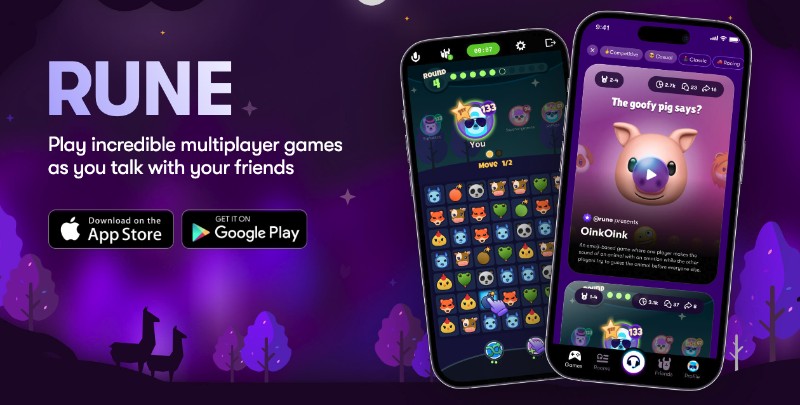
Rune is a mobile-first voice chat app built specifically for Android gamers. It’s free and focuses on making in-game comms easy. With Rune, you can join voice rooms tied to any game running on your phone. One highlight is that Rune supports every Android game - if you’re playing, Rune can overlay and chat. You can create multiple “teams” or groups, filter by game or language, and connect instantly with players who share your interests.
Rune also has fun extras like text chat, stickers, and profile linking, making it feel more like a gaming social network. It doesn’t have broad cross-platform or open-source code, but if you want an app that “does one thing well” - voice chat during any Android game - Rune is it.
As one source explains, Rune “offers a powerful voice chat app crafted specifically for mobile gamers” and supports text and game-based communities. Its interface is smooth and modern, though some users report occasional audio hiccups. Overall, Rune is a great mobile-only alternative if Discord ever lets you down or if you want a fresh community.
GameTree
GameTree is a newer app aimed at bringing gamers together with voice chat and matchmaking. Unlike the other apps, GameTree doubles as a “Looking for Group” platform, helping you find teammates by game, skill, or interest. Crucially, it includes real-time voice chat within its sessions.
GameTree advertises an “easy to use” voice chat that “works perfectly to keep you in touch with teammates during gaming sessions.” Use GameTree’s Android app to create or join a game room - the voice chat then connects seamlessly as you play. It also has moderation and anti-toxicity tools: before inviting someone to chat, you can view their profile and report bad behavior.
This focus on a friendly community may appeal if you’re tired of rude players in open Discord servers. For group gaming sessions and LFG, GameTree’s built-in voice is a handy one-stop solution. Note that voice quality and latency depend on your and your friends’ connections; it’s not advertised as ultra-low-latency like Mumble/TeamSpeak.
Zello
Zello takes a completely different approach to voice chat, and for certain mobile gamers, this is its biggest advantage. Instead of being a full-featured platform for gaming communities, Zello is a simple push-to-talk app that works like a modern version of a walkie-talkie.
Its focus on doing one thing well, quick, real-time communication, makes it an efficient and appealing choice for specific types of gamers. The standout feature of Zello is how fast and responsive it is. You just press a button, and your voice is sent instantly to the channel.
This push-to-talk style is perfect for games where quick, clear communication matters most, like tactical shooters or battle royale games. Need to call out an enemy location or warn your team? Zello makes it fast and straightforward, without any unnecessary extras. It’s a no-frills tool that gets straight to the point.
Since Zello is designed for mobile devices, it’s incredibly lightweight. It uses very little data and system resources, which makes it a great option for gamers using older Android or iOS devices, where saving battery and performance is key. The app runs smoothly in the background without slowing down your game or draining your battery.
While it doesn’t have the social or community features of apps like Discord, its simplicity and walkie-talkie style make it a unique and focused tool for gamers who need fast, reliable communication on the go.
Blizzard Voice Chat

Blizzard Voice Chat is a strong communication tool created especially for the Blizzard gaming world. This service provides excellent voice quality, which allows for clear and sharp conversation.
This is vital for planning and working together in games. It is built right into the Blizzard Battle.net desktop app, making it easy to use for anyone who plays Blizzard games like World of Warcraft, Overwatch, or Diablo.
This tight connection means players can jump into a chat channel without needing to set up anything extra. The tool is free for all users and works well for in-game communication.
Its main drawback is its lack of use outside the Blizzard ecosystem. You cannot use it to chat with friends playing games from other companies or for other activities like work meetings or social calls.
Other Options (Slack, Element, Steam)
- Slack: Mainly a business chat app, but Slack does support voice calls (called “Huddles”) on mobile. Slack is easy to use and secure, with enterprise-grade encryption. However, the free plan only allows 1-on-1 voice calls. For most gamers, Slack isn’t ideal for large voice channels. It can serve for quick 2-player talks if you already use Slack for work.
- Element (Matrix): An open-network chat app that works on Android. It offers end-to-end encryption for all chats. Element has voice and video call support in communities, so friends can create a Matrix room and call. It’s more complex to set up (requires Matrix servers or using a hosted network), but it’s great if privacy is paramount.
- Steam Chat: Valve’s Steam platform has voice chat, but its Android app is mostly for text. Steam’s voice is only usable when playing on PC. For Android gaming, Steam Chat is not practical unless all friends are on PC/Steam.
How To Choose The Best Voice Chat App
Every gaming group is different. Here are practical tips to pick the right Android voice chat app:
- Game Type: For fast-paced competitive games (FPS, MOBA), prioritize ultra-low latency. Mumble and TeamSpeak excel here. Their audio feels instantaneous even on mobile data. For casual co-op or social games, apps like Discord or Guilded with rich features are fine.
- Group Size: Large communities or clans (dozens of members) fit Discord or Guilded, which support many concurrent users. Private small groups can even use Slack for 2-player talks or Element if privacy is key.
- Platform Compatibility: If friends use different systems, choose cross-platform apps. Discord, Guilded, TeamSpeak, and Element cover Android, PC, and consoles. GameTree and Rune are mainly mobile (Android/iOS).
- Privacy Needs: If encryption and data control matter, prefer apps you can self-host or that promise security. TeamSpeak and Mumble let you run your own server with AES encryption. Element (Matrix) is also end-to-end encrypted. For fully public comms, Discord and Slack encrypt in transit but are centrally hosted.
- Resource Usage: Mobile gamers may want a lightweight app to save battery and CPU. TeamSpeak and Mumble have very low overhead. In contrast, video-capable apps (Slack/Zoom) or heavy UI apps (some Matrix clients) drain more power.
- Community Tools: If you need event scheduling or LFG features, consider Guilded or GameTree. Guilded has built-in calendars and richer server tools, while GameTree helps you find new teammates with voice already connected.
- Cost: Most top apps are free. Just note any limitations: Slack’s free plan caps call participants, Discord Nitro (paid) ups video quality but isn’t needed for voice, and TeamSpeak server software may require a license for large capacity. Always check if a paid tier is needed for your scenario.
In practice, many gamers start with Discord due to its ubiquity and simplicity. If you hit its limits (e.g., audio issues, community size, or privacy concerns), then you might try alternatives like Guilded or self-hosted Mumble/TeamSpeak. Ultimately, the “best” app is the one your friends all install and enjoy using together.
You Might Like: How To Turn Gaming Into A Full-Time Career
FAQs About Mobile Gaming Voice Chat
What Is The Best Voice Chat App For Android Gaming?
For most gamers, Discord is the top choice because it’s free, low-latency, and works on Android/PC/console. However, if you need advanced server control or encryption, TeamSpeak or Mumble are excellent. Newer apps like Guilded and Rune offer specialized features (higher bitrate, gaming matchmaking). The right app depends on your group’s needs (latency vs. community features vs. privacy).
How Do I Voice Chat On Android While Gaming?
Install a gaming chat app from the Play Store (e.g., Discord, TeamSpeak, etc.), create or join a server/channel, and start a call. Most apps allow “background” voice chat, meaning you can keep the mic open while running your game. For example, Discord’s Android app has an overlay option, or you can switch apps - the voice call stays connected. Ensure you grant microphone permissions and a stable internet for the best quality.
How Can I Reduce Voice Chat Lag On Mobile?
Use apps known for low latency (TeamSpeak, Mumble) and connect to servers geographically close to you. On Discord/Guilded, choose the nearest voice server region. Also, use Wi-Fi if possible or a strong LTE/5G signal. Close bandwidth-heavy apps in the background. In-game settings like “push-to-talk” can also prevent constant background noise.
Can I Talk To PC/console Friends From My Android?
Yes - pick a cross-platform app. Discord is available on Android, Windows, Mac, and consoles. TeamSpeak and Element (Matrix) also have PC and Android clients. If all friends are on Steam or a specific platform, you could try those (Steam Chat on PC, PS4/5’s mobile party chat, etc.), but Discord remains the easiest universal option.
Are There Private Voice Chat Apps For Gaming?
Yes. Mumble and TeamSpeak allow you to create private servers. You control who has the address and password, and data is encrypted (TeamSpeak offers server/channel AES encryption, Mumble encrypts all traffic). Element (Matrix) also provides encrypted voice calls if you join or host a private Matrix server. These are safer than open/public servers.
Why Not Just Use WhatsApp/Zoom To Chat?
These general chat apps can work in a pinch, but they lack gaming features and often add latency or compression. WhatsApp only does group voice for small groups and is not optimized for gaming. Zoom/GMeet has background noise issues and no game overlays. They may also consume more battery. Gaming chat apps (Discord/Mumble) are optimized for constant low-latency speech and allow push-to-talk, soundboards, and community servers that general apps don’t offer.
What Is Push-to-talk, And Do I Need It?
Push-to-talk (PTT) means you hold a button to transmit your voice. It’s useful to cut out background game audio, or when you want silence until speaking. Many gaming voice apps (Discord, TeamSpeak, Mumble) support PTT. On Android, you might assign a volume button or an on-screen toggle. Competitive gamers often use PTT to reduce echo and focus bandwidth. In casual play, “voice-activated” mode (open mic) may be fine.
How Do I Set Up My Own Voice Chat Server?
For self-hosting, apps like Mumble and TeamSpeak 3 let you run your own server (usually on a PC or rented VPS). You install server software, open the port (default Mumble 64738 UDP, TS3 9987 UDP), and give friends the IP/password. This ensures full privacy and control. For most users, this is advanced, though, and not required – public servers or cloud services work fine for smaller groups.
Conclusion
Choosing the right mobile gaming voice chat app depends on what matters most: ultra-low latency (TeamSpeak/Mumble), community and cross-platform (Discord/Guilded), or privacy (self-hosted servers, Element). Discord’s Android app is a versatile starting point, but alternatives like Guilded and Rune bring unique strengths.
Competitive players might prefer Mumble/TeamSpeak for their responsive, secure channels. Above all, good voice communication keeps mobile gaming fun – the apps above ensure your squad hears every callout. Try a few (they’re mostly free) and see which fits your play style and squad.
If this guide helped you level up your gaming chats, share it with your friends, or comment below with your own favorite apps. Happy gaming and clear calling!